Discover the Loca Natura Mobile App
Enjoy quick and convenient access to Loca Natura from your Android phone or tablet. Browse our collections, discover your favourite products and shop wherever you are.
Two Easy Ways to Install the App
Scan the QR code from a computer or another device, or download the installation file directly from your Android phone or tablet.
Scan the QR Code
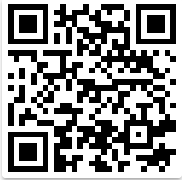
Use your phone's camera or QR scanner while viewing this page on another device.
Point your phone's camera at the QR code to begin.
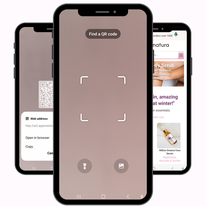
Open your camera
Open your phone's camera or preferred QR-scanning application and focus on the code.
Open the download link
Tap the notification or web address that appears on your screen, then confirm the file download.
Install and open
When the download is complete, open the file and follow your Android device's installation instructions.
Download Directly
When viewing this page on your Android phone or tablet, use the button below to download the application directly.
Get the Mobile AppStart the download
Tap “Get the Mobile App”. Your browser may ask you to confirm that you wish to download the installation file.
Allow installation when requested
Because the app is downloaded directly from the Loca Natura website, Android may ask you to allow installation from your browser. Follow the on-screen settings for your device.
Complete the installation
Tap “Install”. Once installation is complete, select “Open” to start using the Loca Natura app.
Loca Natura, Always Within Reach
Discover natural beauty and skincare products more easily from your Android device. Download the Loca Natura app and take your favourite collections with you.
Download for Android